
QR codes have become part of everyday life. They’re used for restaurant menus, parking payments, event tickets, product information, Wi-Fi access, package tracking, digital payments, and countless other services.
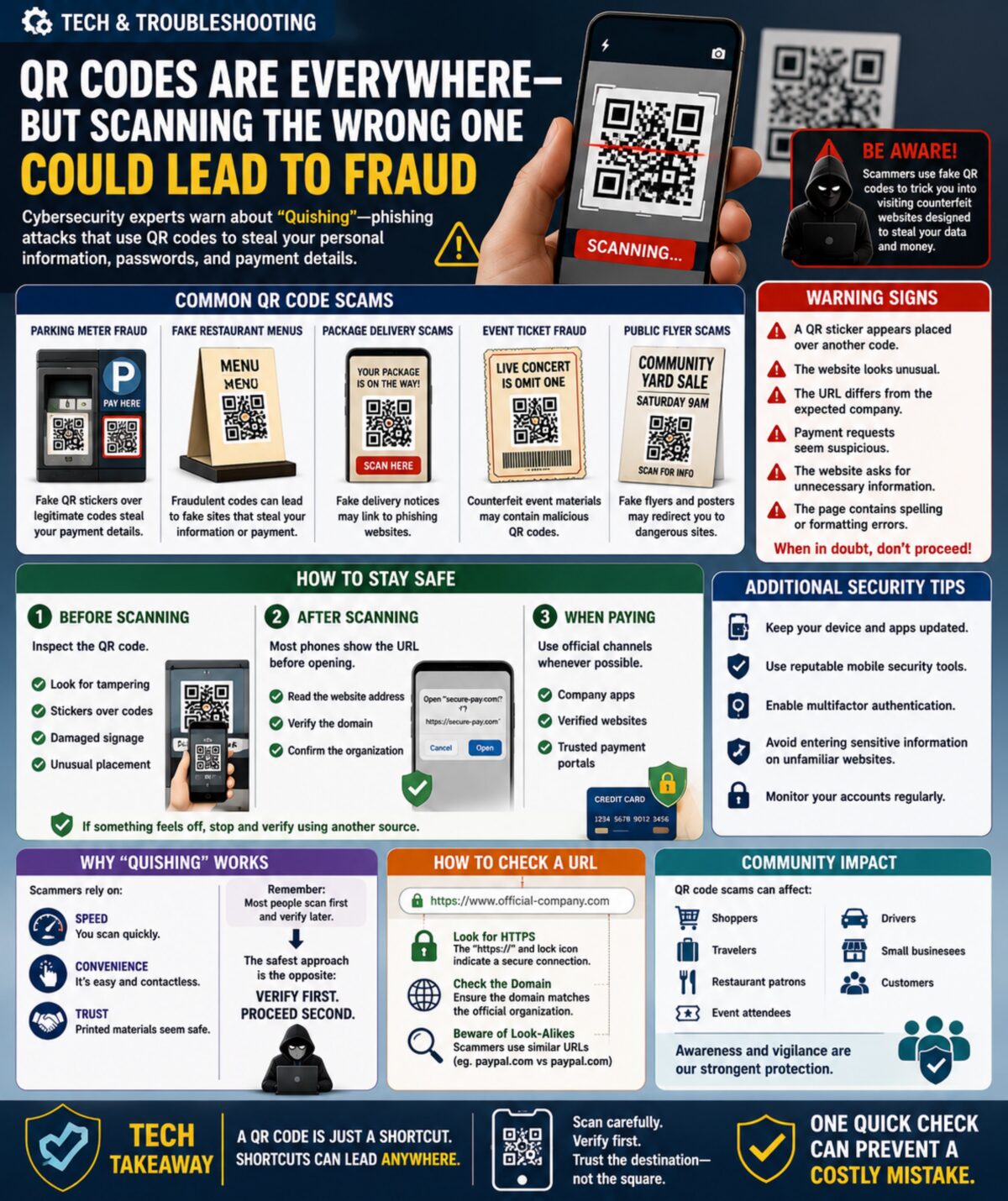
While QR codes are convenient, cybersecurity experts are warning about a growing threat known as “Quishing” — phishing attacks that use QR codes instead of traditional links.
Because people cannot immediately see the website hidden inside a QR code, scammers are increasingly using fake codes to redirect victims to fraudulent websites designed to steal passwords, payment information, personal data, and account credentials.
As QR code usage continues expanding, learning how to verify them is becoming an important digital safety skill.
📱 Why This Matters Now
QR code usage exploded during recent years because they allow:
* Contactless payments
* Quick website access
* Mobile ticketing
* Digital menus
* Product authentication
* Event registration
Unfortunately, criminals quickly recognized an opportunity.
Unlike traditional phishing emails, QR code scams often bypass suspicion because people tend to trust printed materials more than unexpected links.
🚨 Common QR Code Scams
Parking Meter Fraud
Scammers place fake QR stickers over legitimate parking payment codes.
Victims believe they’re paying for parking but are actually entering payment information into a fraudulent website.
Fake Restaurant Menus
Fraudulent QR codes can direct users to websites designed to collect payment information or personal data.
Package Delivery Scams
Fake package notices sometimes include QR codes claiming to provide delivery updates.
Event Ticket Fraud
Scammers create counterfeit event materials containing malicious QR codes.
Public Flyer Scams
Fake advertisements, posters, and community notices sometimes contain fraudulent codes that redirect users to dangerous websites.
⚠️ Warning Signs
Be cautious if:
* A QR sticker appears placed over another code.
* The website looks unusual.
* The URL differs from the expected company.
* Payment requests seem suspicious.
* The website asks for unnecessary information.
* The page contains spelling or formatting errors.
Always verify before entering sensitive information.
🔍 How To Stay Safe
Before Scanning
Inspect the QR code.
Look for:
✔ Tampering
✔ Stickers placed over existing codes
✔ Damaged signage
✔ Unusual placement
After Scanning
Most phones display the destination URL before opening.
Take a moment to:
✔ Read the website address
✔ Verify the domain
✔ Confirm the organization
When Paying
Use official:
* Company apps
* Verified websites
* Trusted payment portals
Whenever possible, manually navigate to the organization’s website rather than relying solely on a QR code.
🛡️ Additional Security Tips
* Keep devices updated.
* Use reputable mobile security tools.
* Enable multifactor authentication.
* Avoid entering sensitive information on unfamiliar websites.
* Monitor accounts regularly.
These habits help protect against a wide variety of online threats.
🧠 Why Quishing Works
Scammers rely on:
* Speed
* Convenience
* Trust
Most people scan first and verify later.
Criminals hope you never verify at all.
The safest approach is the opposite:
Verify first. Proceed second.
🌎 Community Impact
QR code scams affect:
* Shoppers
* Travelers
* Restaurant patrons
* Event attendees
* Drivers
* Small business customers
As communities adopt more digital services, awareness becomes one of the strongest forms of protection.
🎯 Tech Takeaway
A QR code is simply a shortcut.
And shortcuts can lead anywhere.
Before entering payment information, passwords, or personal details, take a few seconds to confirm where that QR code is sending you.
Remember:
Scan carefully. Verify first. Trust the destination—not the square.
📱🔍🛡️⚠️ One quick check can prevent a costly mistake.